

Reliable Labels Inkjet Coding Machine: Key Features to Look For
2026-08-20
Ask any production manager what keeps them up at night, and unreadable batch codes usually make the list. A label inkjet coding machine is only as good as its weakest component—so instead of chasing the brightest display or the fastest advertised speed, you need to know which features actually hold up when the line is running full tilt. From printhead resilience to ink adhesion and user-proof controls, here's what separates a truly reliable coder from a costly gamble—and how Danmajet addresses these pain points.
Don't Just Compare Print Resolution—Test It on Your Packaging
Spec sheets make it easy to fixate on dots per inch, but a 1200 dpi proof and a production flexo run can look nothing alike. Ink gain, substrate absorbency, and plate wear all reshape edges long before the carton reaches a shelf. If you're not pulling actual samples off your own line, you're comparing numbers instead of what customers see.
One brand we worked with nearly switched suppliers over a blurry barcode that looked flawless in a digital mock-up. The culprit wasn't resolution—it was a subtle misregistration on a recycled kraft surface. Running a short press check on the real board exposed the issue in minutes and saved a costly packaging recall.
A better habit is to keep a small library of signed-off physical swatches. Use them on every new batch to check fine serifs, hairlines, and gradients under store lighting, not just a loupe. That way, your print spec becomes a living standard, tied to how the package actually performs in hand rather than a lab report number.
Real-World Ink Adhesion Tests That Matter
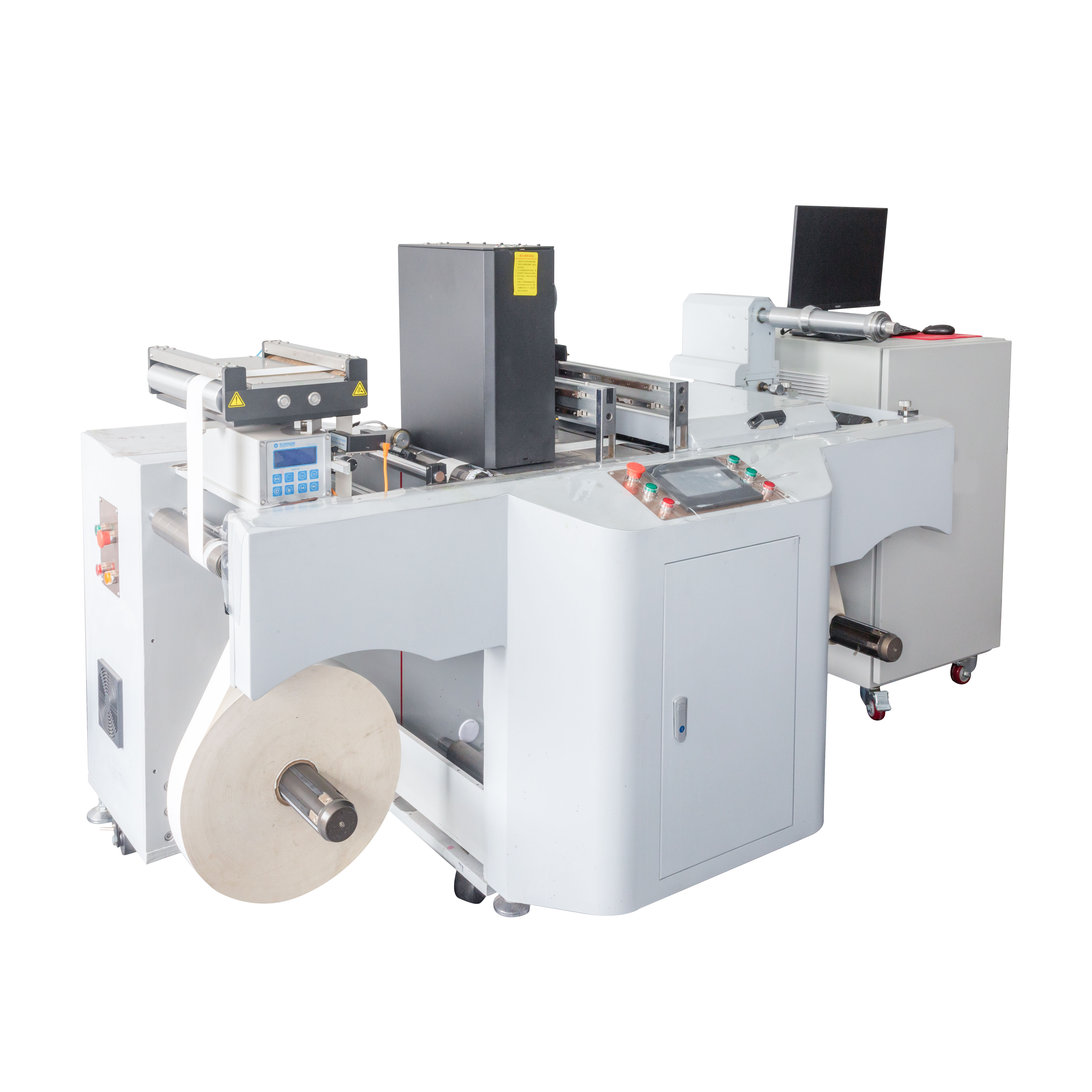
When you print on plastic film for a snack wrapper, the last thing you want is ink flaking off before it even reaches the shelf. That's why actual adhesion checks on production lines often go beyond a simple tape pull. Operators might rub the printed surface with a coin or a fingernail to simulate the abuse a package takes during shipping and handling. If the ink survives that without lifting, you know it has a fighting chance in the real world.
Another approach that mirrors everyday wear involves crumpling or folding the printed substrate. Think about a label on a squeeze bottle that gets flexed every time someone uses the product. By repeatedly bending and creasing the material, you can see whether the ink cracks, flakes, or stays put. It's a low-tech but brutally honest way to predict field performance, especially for flexible packaging and shrink sleeves.
In environments where moisture or chemical exposure is common, a quick wipe with a damp cloth or even a dilute detergent solution can reveal hidden weaknesses. Similarly, for outdoor signage, UV exposure combined with a light scrubbing after weathering gives a much better picture than any lab-only crosshatch test. The goal isn't to follow a spec sheet perfectly but to mimic the exact stresses your final product will face.
Why Throughput Specs Can Be Misleading on the Production Floor
A throughput spec on a data sheet is often captured under conditions that have little in common with your actual shop floor. The number might come from a short burst test with fresh tooling, ideal material, and no interruptions. Once that same machine is installed, it has to deal with part variations, operator pacing, quality checks, and the occasional jam or sensor fault. Those realities eat into the headline figure quickly, making the original spec almost a best-case fantasy rather than a planning tool.
Even machines from the same model line can behave differently depending on how they are fed, maintained, and scheduled. A line that switches products three times a shift will never sustain the throughput of one running a single SKU. Yet buyers and production managers often compare specs side by side as if conditions were equal. That habit leads to overpromised output, rushed changeovers, and idle downstream equipment waiting on a bottleneck that the spec sheet never mentioned.
The real measure of production health is not what the manufacturer claims, but what the line delivers over a full shift or week after accounting for downtime, rejects, and variability. Treating throughput specs as a rough starting point rather than a fixed target lets you build buffers, set realistic takt times, and spot where actual constraints live. Once you stop chasing the rated number, you can focus on the improvements that actually move the floor's output.
Operator Turnover and the Case for Simple Controls
A quiet but persistent problem in many industrial settings is the revolving door of operators. When people move in and out of roles frequently, the accumulated knowledge about how a process really behaves leaves with them. Complex control schemes, with nested loops and layered alarms, demand a level of tacit familiarity that new hires simply do not have. The result is a mismatch: the system looks sophisticated on paper, but in practice it becomes fragile, dependent on a handful of veterans who can interpret its moods.
Simple controls, by contrast, survive turnover better. A well-tuned PID loop with clear setpoints and a single, visible response curve is easier to teach, easier to troubleshoot, and less likely to be misconfigured by someone on their third week. This is not a compromise in performance; it is a trade-off that favors resilience over theoretical optimality. When operators leave, the process does not have to relearn itself from scratch.
Maintenance teams also benefit. A simple control architecture reduces the number of failure modes and makes root-cause analysis faster. Documentation stays relevant, training time drops, and the gap between a novice and an expert narrows. In industries where turnover rates top twenty percent annually, the case for simplicity is not just aesthetic—it is economic.
Preventive Maintenance That Doesn't Need a Specialist
Most homeowners don't realize that a handful of simple checks can keep a heating or cooling system running smoothly without ever picking up the phone. Start with the air filter—if it's clogged with dust and pet hair, the system has to work harder to push air through. Swapping it out or washing a reusable one takes maybe five minutes and costs almost nothing. While you're at it, glance at the outdoor unit and clear away any leaves, grass clippings, or debris that have piled up around it. A clear two-foot space lets the unit breathe and prevents overheating.
Another easy habit is checking the drain line. Algae and mold can build up inside and cause water to back up, which often leads to a shutdown. Pouring a cup of white vinegar down the line every few months keeps it flowing. Also, don't overlook the thermostat batteries—weak batteries can cause the system to cycle strangely. I set a reminder on my phone to replace them twice a year, right when the clocks change. These tiny tasks don't require any tools beyond a screwdriver and a few minutes, yet they make a noticeable difference in how the system performs month after month.
Calculating the Real Cost of Consumables Over Five Years
The price tag you see on day one is only a fraction of what most machines will cost by the end of year five. Consumables quietly absorb budget in ways that spec sheets rarely highlight: a replacement filter here, a cartridge there, a calibration fluid that costs more per ounce than a nice bottle of wine. Run the math on a $30 item swapped twice a month and it turns into $3,600 over five years—before shipping, before the time someone spends reordering, before the occasional rush fee when stock runs out.
A better way to compare options is to build a simple running-cost table from your actual usage, not the manufacturer's ideal conditions. Count the cycles or samples you really process in a month, then list every part that wears, every reagent or gas that gets consumed, and every scheduled service kit. Multiply those by the replacement interval and add a small allowance for things breaking sooner than promised. Dividing that five-year total by your expected throughput produces a cost-per-use figure that often completely reframes which machine looks 'affordable.' In many cases, a higher upfront price with generic consumables beats a cheaper unit with locked-in proprietary cartridges.
FAQ
A reliable machine holds edge sharpness and barcode contrast over an eight-hour shift without constant re-cleaning. Look for a printhead with automatic nozzle purging, ink recirculation on the supply line, and a sealed capping station that keeps the nozzles from drying out during short line stops. Also check how it handles the micro-stoppages, vibration, and dust common in packaging halls.
Run the coder on your actual label stock at the speed you plan to use. Pay attention to small 2D codes and human-readable text under magnification, then do a rub test with a finger or a cloth after the ink has dried. If the print survives on gloss varnish, film, or recycled board without smearing, that tells you more than a polished demo label ever will.
If you regularly code onto glossy films, metallic foils, recycled cardboard, or labels that pass through condensation or cold storage, you need more than a basic office-style head. In those cases, look for piezo printheads that tolerate a wider ink viscosity range, quick-drying pigment inks, and the ability to add a primer or corona treatment ahead of the printhead.
The routines that matter are automated rather than manual: the printer should cap and purge itself during idle periods, recirculate ink to prevent settling, and keep an error log that flags nozzle dropouts before they become visible. Ask how often an operator has to clean the head face, how long a cartridge swap takes, and whether filters can be changed without stopping the line.
It usually comes down to an ink-substrate mismatch. The ink may dry quickly in a climate-controlled room but fail when the label sweats during temperature changes. Ask for adhesion tests after a condensation cycle, check whether the ink is rated for your specific film or coating, and confirm it can handle low-migration requirements if the labels touch food or pharmaceuticals.
Choose a head that is compact enough to fit where labels are applied, with a sturdy bracket that allows fine adjustment without flexing. A simple encoder input, a standard I/O or Ethernet handshake, and support for common PLC protocols will save hours during commissioning. Avoid setups that force you into a closed controller or require a dedicated PC for every line.
Ask for references from plants running the same type of label material and line speed you use. Request a continuous-run test on your own stock if possible, and ask to see error logs or a demonstration of how the system recovers from a nozzle dropout. Lead times for spare printheads and cartridges matter just as much as the stated mean time between failures.
Yes, the purchase price is only a small part. Ink consumption per thousand labels, cleaning cartridges, printhead replacement cycles, and the labour spent on manual wiping or unplanned stops add up quickly. Ask for a realistic cost-per-label estimate that includes ink, solvents, and wear parts at your actual production speed, not a best-case lab figure.
Conclusion
When evaluating an inkjet coding machine for labels, the spec sheet tells only part of the story. Rather than getting caught up in print resolution numbers, run a trial on your actual packaging material—coated cartons, films, or textured labels can render the same DPI very differently. Pair that with real-world adhesion checks: rub the printed code with a finger, apply packaging tape, or wipe with a mild solvent to see if the ink stays put. A unit that passes on glossy white paper may smear on your brown corrugated boxes. On the production floor, quoted throughput figures rarely survive contact with line stops, changeovers, and variable pack sizes, so watch a live demo at your normal line speed, not the vendor's best-case scenario.
High operator turnover makes intuitive controls a must. If a new hire cannot switch a message or adjust date codes within five minutes, downtime will stack up. Look for a machine that lets staff manage daily jobs from a clear touchscreen without buried menus. Preventive maintenance should also be straightforward: accessible ink lines, tool-free printhead swaps, and automatic nozzle cleaning keep routine care in-house, avoiding the wait for a service call. Finally, take a five-year view of consumables—not just the ink cartridge price. Calculate actual ink usage per label, solvent evaporation rates, and the cost of replacement parts like filters and pumps. A cheaper printer with thirsty cartridges or frequent make-up fluid needs can erase any upfront savings.
Contact Us
Contact Person: Jacky
Email: [email protected]
Tel/WhatsApp: 086 15000607053
Website: https://www.danmajet.com